 LimitWatch
Your Claude limits, in the menu bar
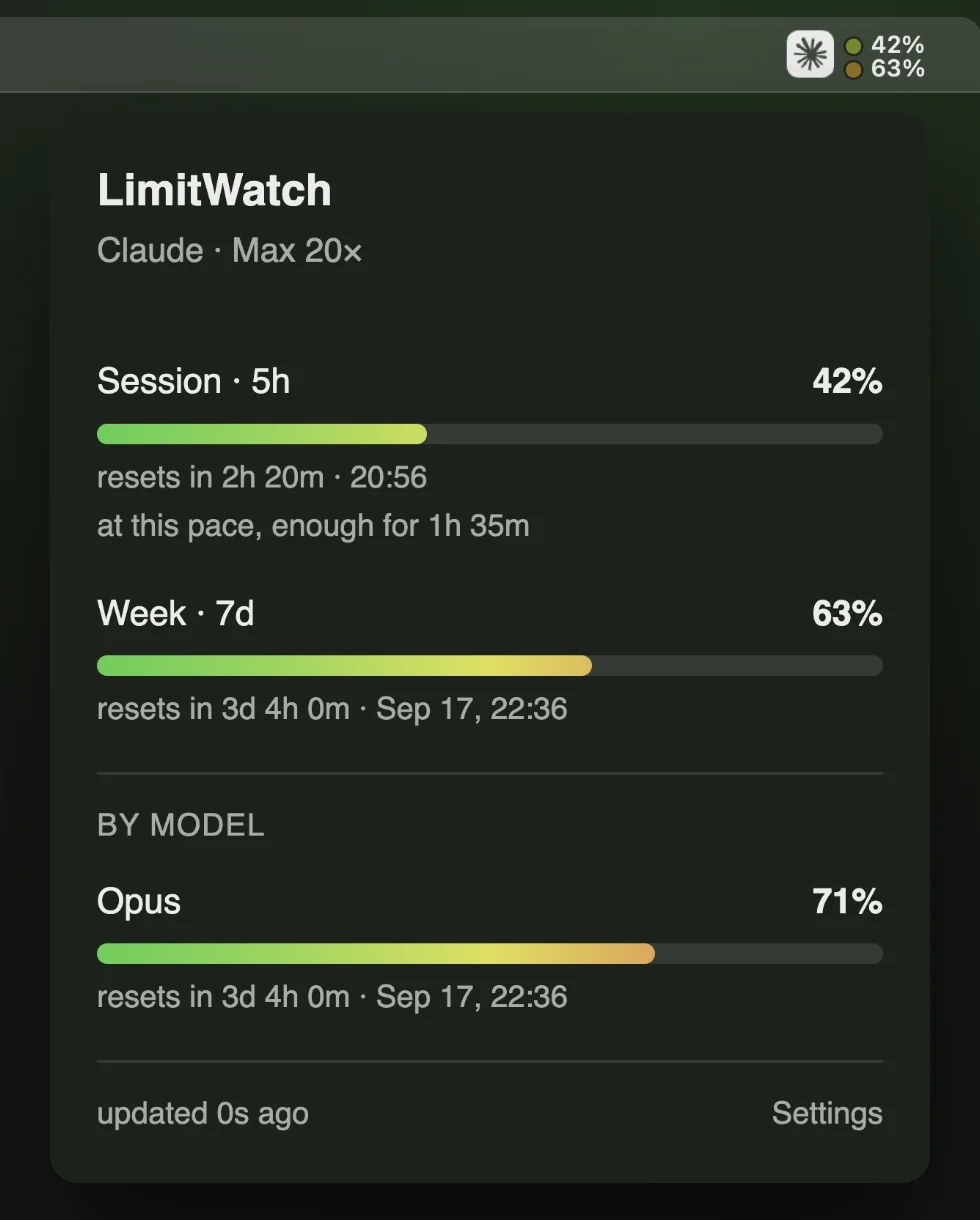
Session and week at a glance — with the time each one resets, and how long today's pace will last. No Dock icon, no window in your way.
 LimitWatch
Session and week at a glance — with the time each one resets, and how long today's pace will last. No Dock icon, no window in your way.
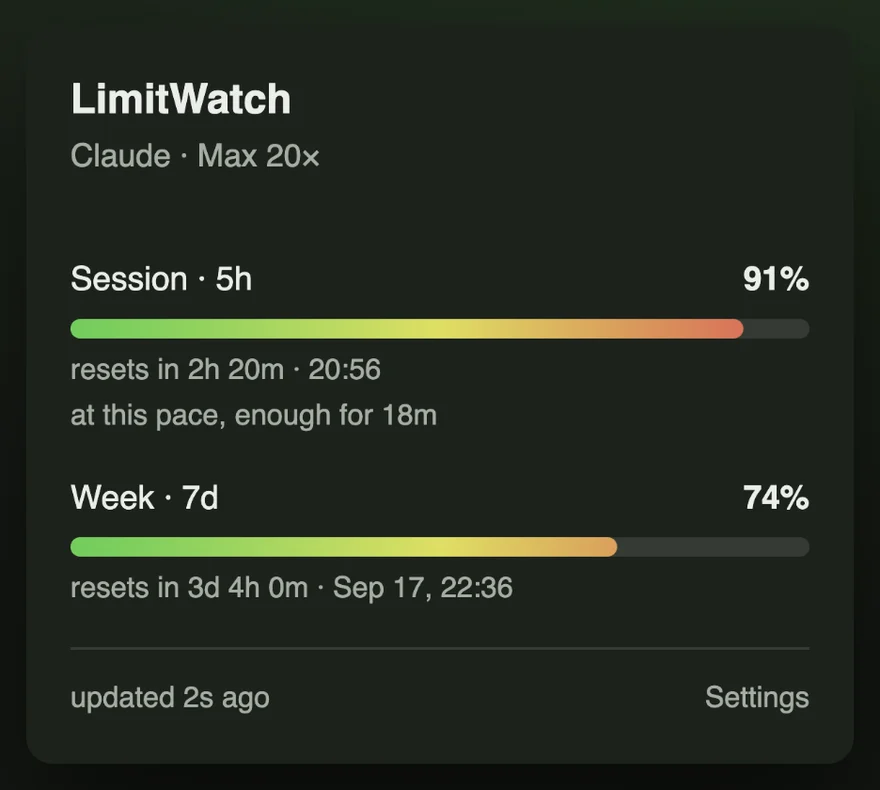
Under each bar, once LimitWatch has watched you for a while, a line says how long the limit lasts at the pace you are using it — “at this pace, enough for 1h 35m”, or “at this pace, enough until the reset” when the reset comes first.
It is a trend over the last hour for the session and the last day for the week, and it stays away rather than guess: nothing for the first minutes of a session, nothing while nothing is being used, nothing after the laptop has been shut for longer than the window.
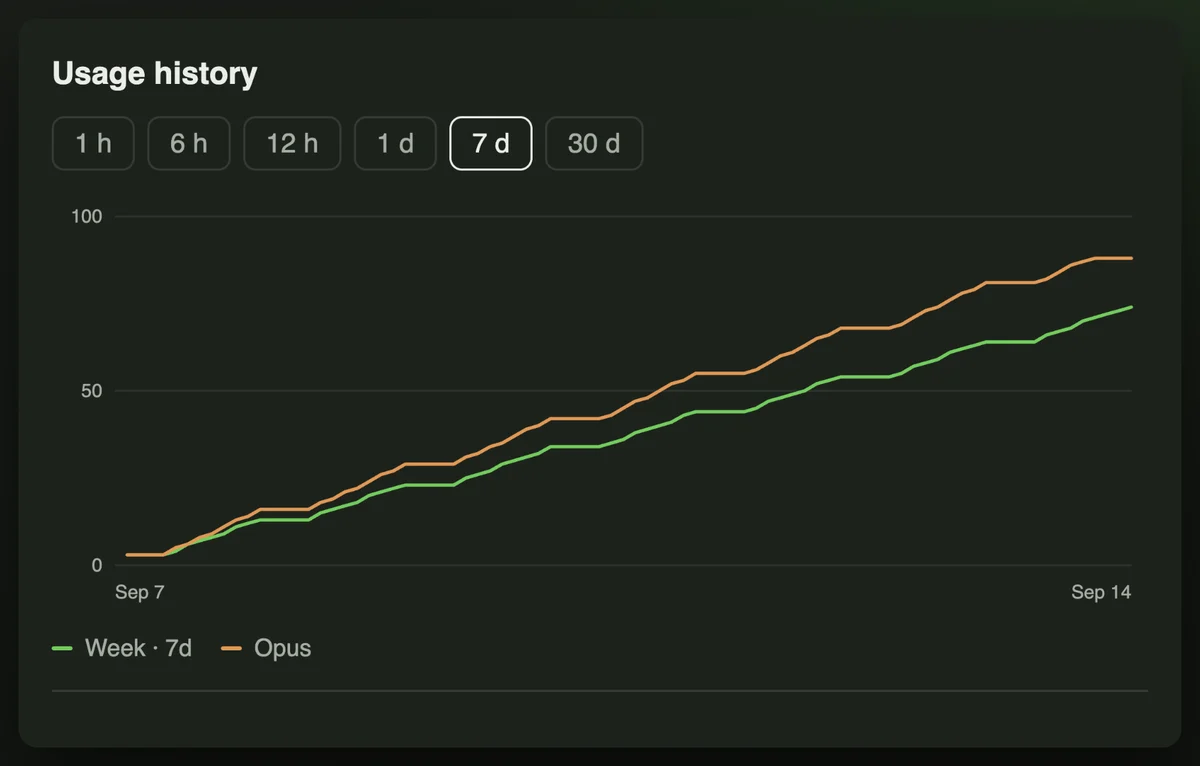
One reading per refresh, up to thirty days, drawn as a chart you can narrow to an hour or widen to a month. Timestamps, percentages and reset times — no token, no account identifier, nothing else.
It is stored in the app's own container and never uploaded anywhere.
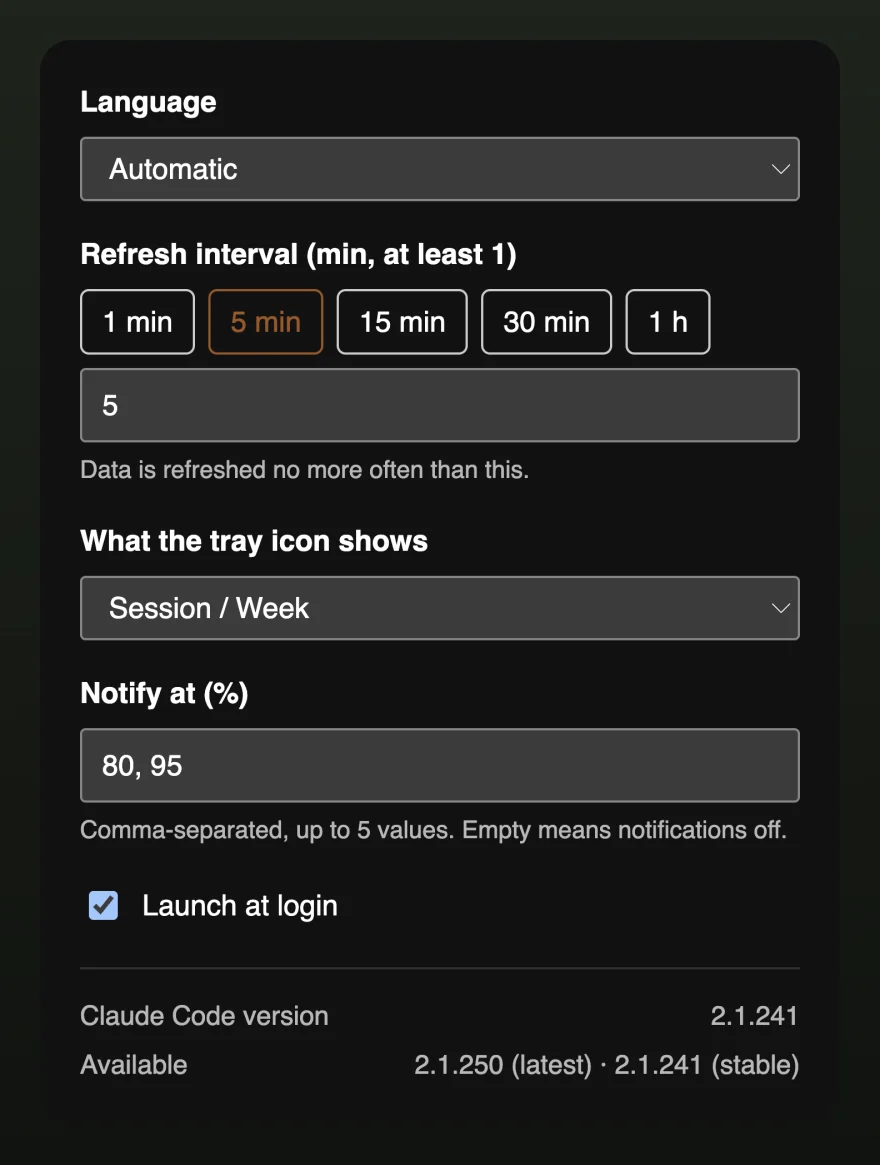
Pick the percentages that matter to you — 80 and 95, or whatever you like, up to five — and LimitWatch notifies you once as each is crossed. Leave it empty and it never notifies at all.
The refresh interval, what the tray icon shows, launch at login, and the interface language are all here too — fifteen languages, detected from the system and switchable at any time.
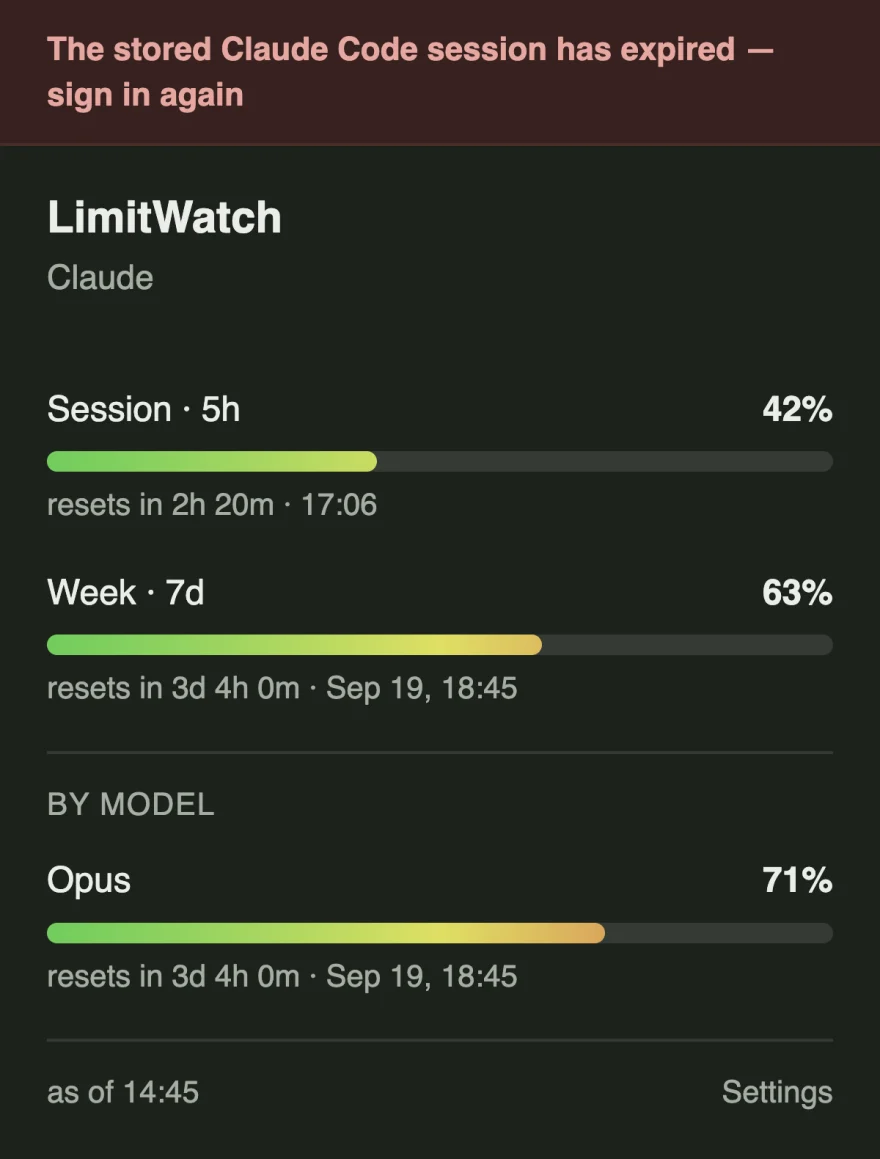
A usage gauge is worth trusting only if it admits the times it cannot read the usage. LimitWatch puts the reason where the figures were, rather than leaving yesterday's percentages on screen looking current.
Claude Code's token expires — most often overnight — and an expired one is refused
before it ever reaches the network. The panel puts the reason where the refresh would
have been: The stored Claude Code session has expired — sign in again. The last
figures it did get stay below, with the foot of the panel saying how old they are. Run
claude, sign in, and the next poll fills it back in.
The same line covers the rest of what can go wrong: no Claude Code on this Mac, a stored
sign-in it cannot read, no Pro or Max subscription on the account, and no connection to
api.anthropic.com.
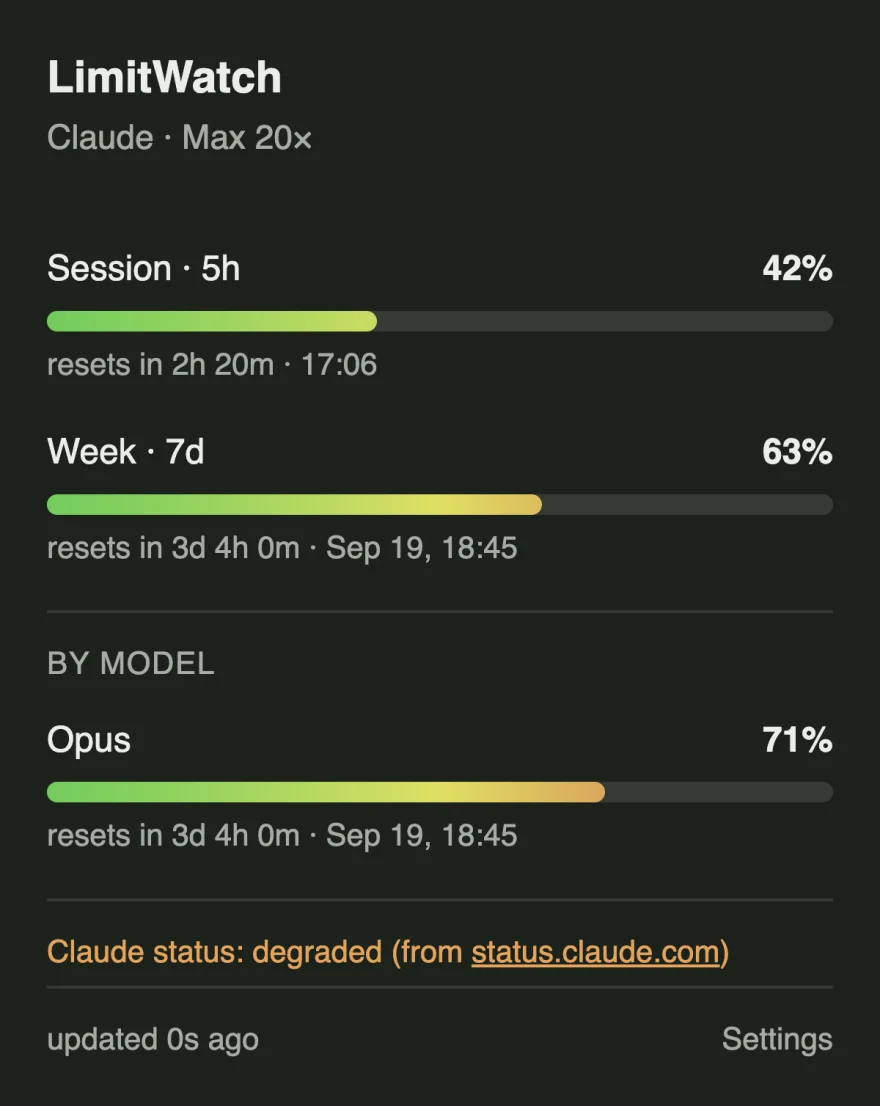
The foot of the panel carries Claude's own service status, read from
status.claude.com. During an incident the menu-bar mark turns orange for
degraded and red for an outage — so a red dot beside a red mark is Anthropic's problem,
not your limit.
The incident is quoted exactly as the status page wrote it, in its words. Translating an operator's sentence would be inventing one — which is also why the panel beside this shows a level and no incident text: a plausible-looking outage invented for a screenshot would be a sentence Anthropic never wrote.
LimitWatch has no backend. It reads the token Claude Code already keeps in your Keychain, asks Anthropic for your own usage figures, and shows them. Nothing about you reaches the developer, because there is nowhere for it to go.
Three hosts are all the app ever talks to:
api.anthropic.com — your usage figures, with your own tokenstatus.claude.com — whether Claude itself is healthy, no tokenregistry.npmjs.org — whether a newer Claude Code exists, no tokenNo telemetry, no crash reporting, no advertising — and the app's own windows load nothing from the network at all. The full privacy policy spells out every file it reads.
LimitWatch is on its way to the Mac App Store. This page will carry the link the day it is approved.
Want to hear when that happens, or have a question first? serg.mosk.dev@gmail.com.